Awesome Simracing
Liveries
All liveries Collections ACC AC EVO AC Rally AC
Communities
Artists
All artists Competitions
News Desktop client FAQ
DiscordLogin with Discord
Liveries
All liveries Collections ACC AC EVO AC Rally AC
Communities
Artists
All artists Competitions
News Desktop client How-To & FAQ
Theme
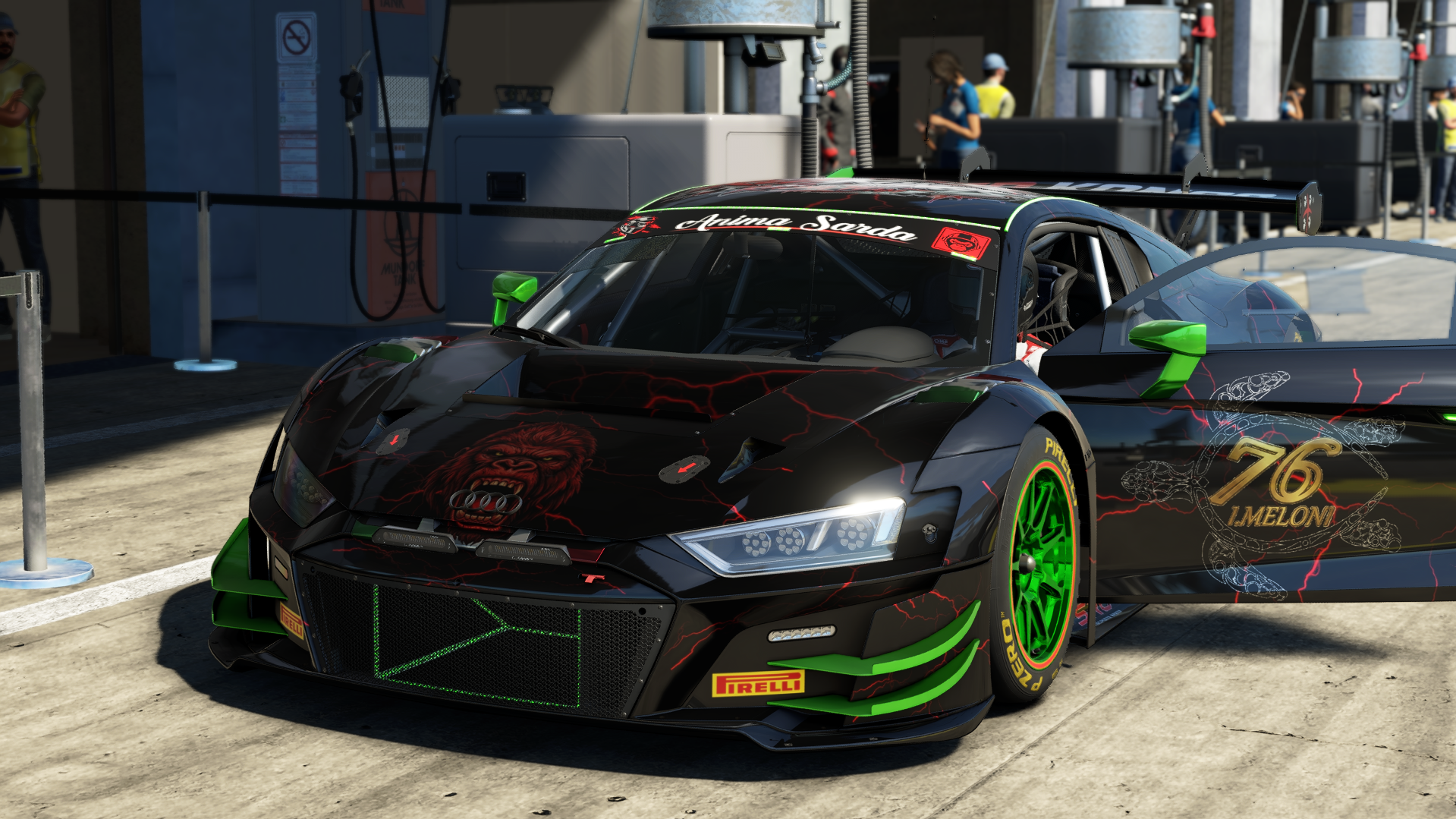
Home IvanRace76 Audi R8 LMS GT3 RK

Audi R8 LMS GT3 RK

Audi R8 LMS GT3 RK
Car
Audi R8 LMS GT3 evo II
Game
AC EVO
Uploaded by
IvanRace76
Artist
Myself
Folder name
lms_gt3_evo_2_audi_r8_lms_gt3_redkongs_202
Updated
2026-11-16

Files

Download ZIP

external_livery.json3 KB
EXT_Skin_C.png4 MB
EXT_Skin_D.png6 KB
EXT_Skin_R.png21 KB
EXT_Skin_M.png74 KB
EXT_Skin_CC.png21 KB
EXT_Skin_CR.png21 KB
EXT_Banner_C.png1 MB
livery_thumbnail.png244 KB
ks_audi_r8_lms_gt3_evo_2_4d8cf331-4362-5fe8-fedc-4418ad27526b.carfinalstatewithconsumable2 KB

Install: copy the folder ExternalLiveries\lms_gt3_evo_2_audi_r8_lms_gt3_redkongs_202 from the ZIP to Saved Games\ACE\ExternalLiveries. The SavedCar in SavedCars (if any) goes to Saved Games\ACE\ProfileData\<profile>\OpenData\SavedCars; with it the car shows up under “My cars” and you can drive the livery yourself. Without it you see the livery on other drivers online. A SavedCar may stop working after an AC EVO update until its creator uploads a new one.

In collections

Not in any collection yet.

Site notice Privacy policy Terms and conditions How-To & FAQ Desktop client News