Awesome Simracing 1.1: your own communities and collection rules
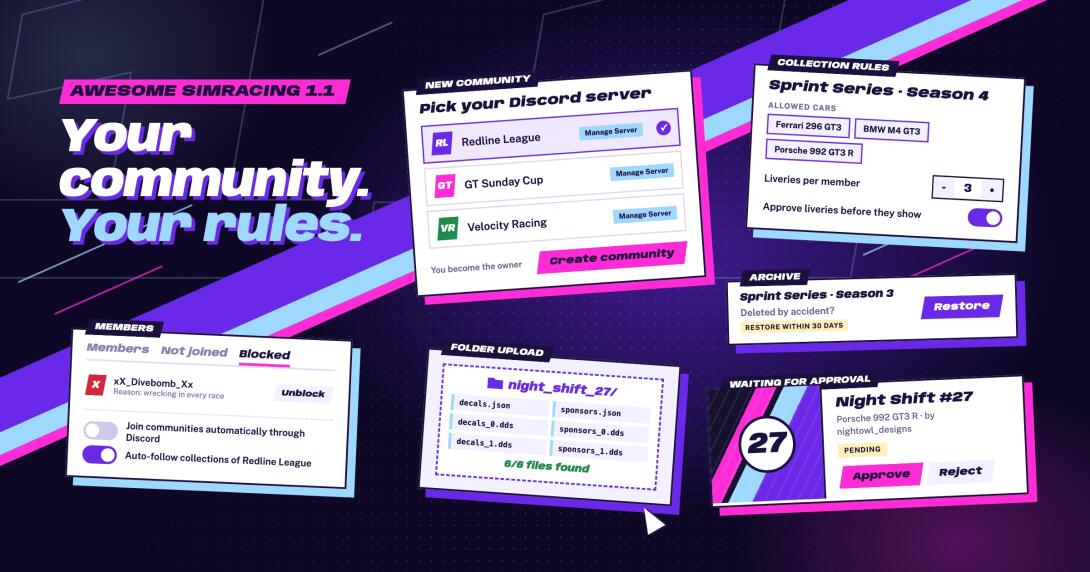
Create a community for your Discord server, set the rules for your collections and decide yourself which communities you are part of.
Running a Discord server for your league or team? With 1.1 you no longer need to ask me to set up a community for it. You also get more say in what ends up in your collections and in which communities you are part of.
Your own community: as a member of the Awesome Discord, create a community for a Discord server you manage under Communities and become its owner. Unpublish it while you prepare it, archive it or hand it over to one of your admins.
Collection rules: limit a collection to certain cars, set how many liveries each member may add and approve liveries before they show up on the collection page and in the desktop client.
You choose your communities: leave a community without leaving its Discord server and join it again later, or switch off joining communities automatically through Discord in your settings. Community admins can block users who should not be part of it.
Auto-follow per community: decide for each community whether you follow its collections automatically.
Folder upload: drop a whole ACC livery folder into the livery form, and all files are filled in at once.
A safety net: deleted liveries, collections and communities are archived and can be restored for 30 days, and you can delete your account yourself with 30 days to change your mind.
You are reading the last new thing already: news like this one now live on the site, on the home page and in the desktop client. Let me know in the Discord what you think.